IPv6/IPv4 Mobile Proxy in France: Dual-Stack Explained (IPv6 First, IPv4 Fallback)
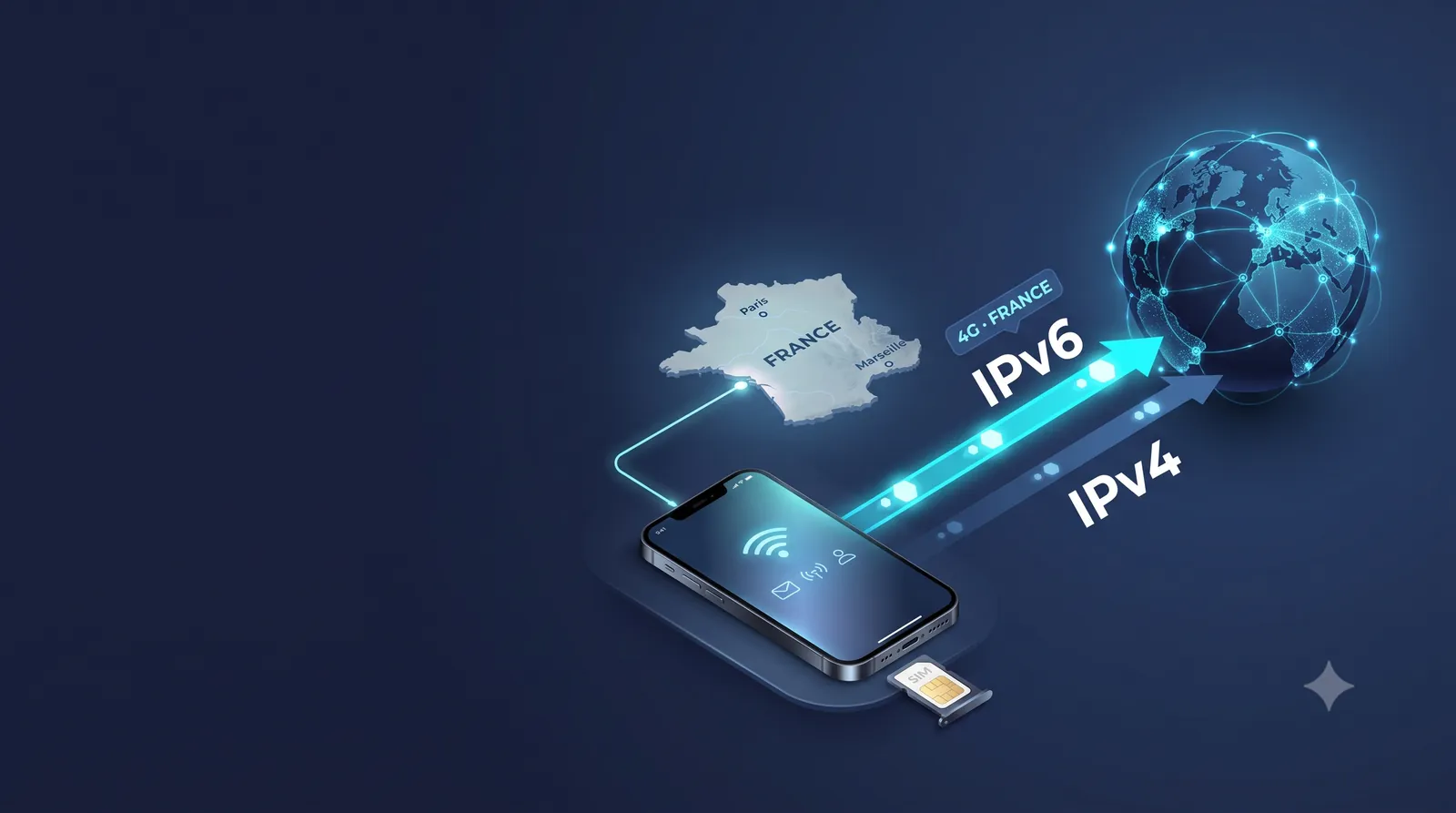
We run a fleet of Orange, SFR, Free and Bouygues Telecom SIM cards in France. What follows is not copied theory. It is the IPv6 behavior we measure ourselves on these networks, and it does not always match what the proxy market claims.
For the past year, the “IPv6 proxy” has been sold as the future of scraping and multi-accounting. The reality is more nuanced. IPv6 on its own is a trap, because about two thirds of websites still do not support it. The right answer is dual-stack: a proxy that tries IPv6 first, then switches to IPv4 when it has to. And a 4G mobile network is where this works best. This guide explains what an IPv6 proxy is, why IPv6 is so useful, what its limits are, and why the “IPv6 first, IPv4 fallback” model is the strongest setup in 2026.
What is an IPv6 proxy?
An IPv6 proxy is a server that routes your traffic out through an IPv6 address instead of your real one. Because IPv6 addresses exist in almost unlimited numbers, most have never been used. So you start with a fresh reputation, instead of inheriting a recycled and often already flagged IPv4 address.
IPv4 vs IPv6: what changes for a proxy?
An IP address identifies your connection on the internet. There are two versions.
IPv4 is the old standard. It is an address like 192.0.2.34. There are only about 4.3 billion of them. With billions of connected devices, the pool ran dry years ago. As a result, IPv4 addresses are scarce, expensive, and reused over and over. Many are already “burned”: anti-bot systems flagged them as suspicious before you ever touched them.
IPv6 is the modern standard. It is an address like 2001:db8:42:1::1f. The supply is huge: about 3.4 × 10³⁸ addresses, a 39-digit number. In short, scarcity disappears. There is enough to give a fresh, never-used address to every session.
A proxy is just a middleman: your traffic exits through its IP instead of yours. An IPv6 proxy routes you out through an IPv6 address, an IPv4 proxy through an IPv4 one.
Why IPv6 is so useful
IPv6 is not just “more digits.” For anyone automating, scraping, or running several accounts, it brings three real benefits.
Clean addresses, never burned
Because IPv4 is scarce, it gets reused endlessly. The IPv4 you rent has probably already served a spammer or a bot before you. IPv6 addresses are so plentiful that most have never been used. You start with a clean reputation, not with a stranger’s past.
Real scale, if you count the right blocks
From a single carrier IPv6 range, a mobile device can draw from an enormous block of addresses. Where IPv4 limits you to a handful of shared addresses, IPv6 removes that limit.
But there is an important nuance. Most anti-abuse systems, and Cloudflare says so plainly, count and block IPv6 by /64 block, not by individual address. And on a mobile network (3GPP standard), a device gets a single /64 (RFC 6459). Drawing billions of addresses from that /64 does not give you billions of identities: to the target site, it is still one client. What really matters is the number of distinct /64 prefixes you can reach. And on mobile, that number depends on the number of SIMs and sessions, not on the number of addresses. That is why a /48 IPv6 block bought in a datacenter does not replace a fleet of real SIM cards.
A lower cost, but watch what you pay for
The more abundant something is, the cheaper it is. A dedicated IPv4 is expensive. An IPv6 costs a fraction of the price. At equal volume, the IPv6 address is the cheaper one.
Careful though: the saving is on the address, not on the connection. A dedicated 4G SIM is still a real cost: carrier subscription, modem, hosting. That is exactly what separates a mobile proxy from a cheap datacenter IPv6 pool. What you pay for is access to a real carrier network, not the address.
The problem is that none of this matters if the target does not accept IPv6. And that is the weak spot of IPv6 alone.
What IPv6 does not fix
Most guides stop at the benefits. For serious use, you also need to know the limits, or you discover them in production.
Subnet bans: when a whole /64 goes down
As we saw above, anti-abuse systems almost never block a single IPv6 address (it would be useless, since the last digits of the address can be changed at will). They group and block by /64, sometimes by /48. So a single block can cover millions of addresses at once.
The good news, and this is an honest point: a mobile /64 does not last. It changes at every reconnection to the carrier. A datacenter /64 is fixed, so it is easy to block for a long time. On mobile, a block sticks to you for less time. But do not treat this as full protection: at any given moment, all your traffic in the same /64 is seen as a single client.
IPv6 geolocation is less precise
Geolocation databases were built first for IPv4. IPv6 mapping is improving, but it stays coarser with some providers. A French mobile IPv6 can be located less precisely than an equivalent IPv4. For checking geo-targeted ads, test target by target.
DNS and WebRTC leaks: IPv6 does not protect from everything
Exiting over IPv6 does not protect you from a leak that reveals your real IP. Two classic cases: a badly configured DNS resolver that queries in the clear from your real network, and WebRTC in the browser, which can expose a local IPv6 address. The proxy handles transport. Leaks are fixed on the client side.
Fingerprinting gives you away before your IP does
Finally, the IP is only one signal among many. User-agent, screen resolution, fonts, canvas, time zone: an inconsistent fingerprint gets an account detected, even behind a perfect mobile IPv6. A clean IP is necessary, but it is not enough.
The IPv6-only trap
In 2026, IPv6 crossed a milestone. On 28 March 2026, for the first time, more than 50% of the users measured by Google reached it over IPv6, against 46% a year earlier (Google IPv6 Statistics). And France leads: about 73% of connections use IPv6, one of the highest rates in the world. Mobile drives that number.
Be careful not to mix two things. These figures measure the share of users able to reach a service over IPv6. The share of sites reachable over IPv6 is much lower: between 31% (W3Techs) and 38% according to public measurements. That second figure is the one that concerns you. And it is the one that makes dual-stack essential.
In plain terms: most sites are only reachable over IPv4. Brochure sites, business tools, mid-size e-commerce, corporate networks: many never turned on IPv6. Point a 100% IPv6 proxy at one of those sites and the connection simply fails.
There is a nuance, and it works in your favor. Some sellers of “raw” IPv6 add a system (NAT64/DNS64) to still reach IPv4 targets. That is what mobile carriers do too. But in that case, your traffic exits through a shared IPv4 that belongs to the provider, usually a datacenter address. You reach the target, but you lose exactly the cleanliness you came for. Mobile dual-stack, on the other hand, routes you out through the public IPv4 of a consumer carrier, shared with real subscribers.
That is why buying “raw” IPv6 is a bad deal. You pay less, but you cut yourself off from two thirds of the web. The move is not to pick a side. It is to have both.
Dual-stack, request by request: what really happens
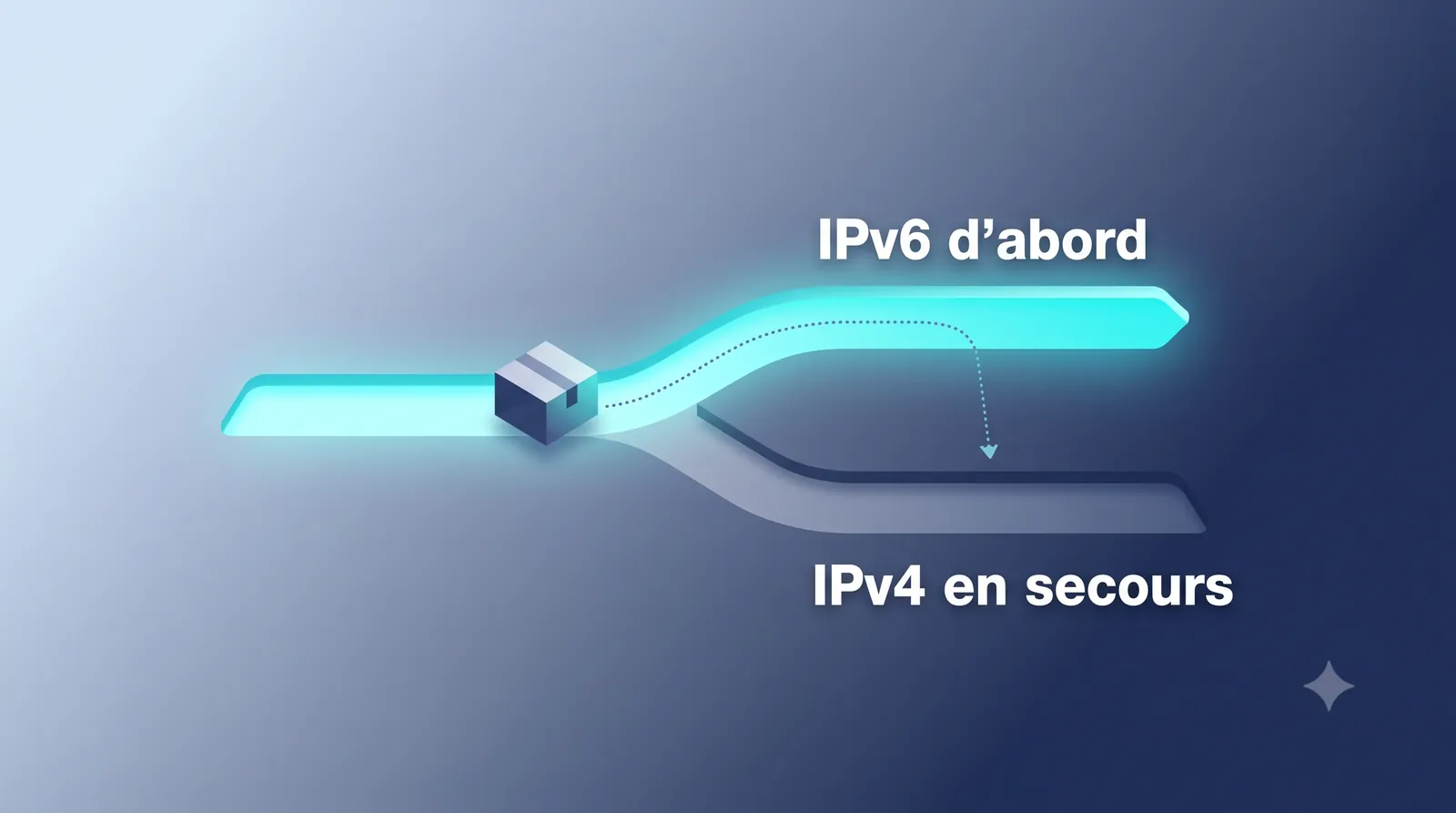
Dual-stack means the connection holds an IPv4 and an IPv6 address at the same time. A well-built dual-stack proxy then follows two simple rules.
The DNS step: does the target have an IPv6 address?
The choice is usually made when resolving the site’s name, not after a failure. If the target publishes an AAAA record (its IPv6 address), traffic can exit over IPv6. If it only has an A record (IPv4), IPv4 is used directly, with no delay at all.
Important point, and the number one cause of a dual-stack that never triggers: if the name is resolved on the client side instead of the proxy, IPv6 is never tried. In practice, use socks5h:// (DNS resolution on the proxy side) and not socks5:// (resolution on the client side).
Happy Eyeballs (RFC 8305), in plain terms
If IPv6 is announced but does not respond, a good proxy does not wait for the timeout to end. It follows the Happy Eyeballs v2 principle (RFC 8305): it launches the IPv4 attempt at the same time, after a short 250 ms delay, and keeps the first connection that works.
The difference matters. A true “queue” system would wait for the full IPv6 failure before trying IPv4, which takes several seconds. The “parallel” system limits the delay to a few hundred milliseconds. On a large scrape, that is the difference between a job that meets its deadlines and a job that collapses.
You have nothing to set by hand. The choice is made automatically, site by site.
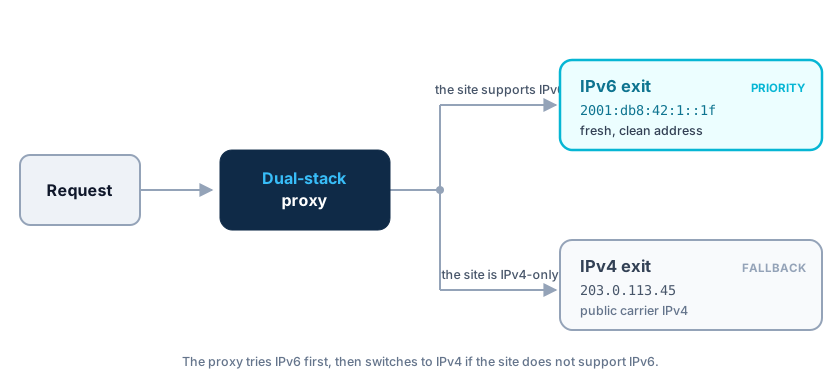
On the IPv4 side, mobile goes through the carrier’s CGNAT. The SIM holds a shared private address (range 100.64.0.0/10, RFC 6598), but the address the target site sees is the carrier’s public IPv4, shared with thousands of real subscribers.
IPv6 on French mobile networks: what Orange, SFR, Free and Bouygues really do
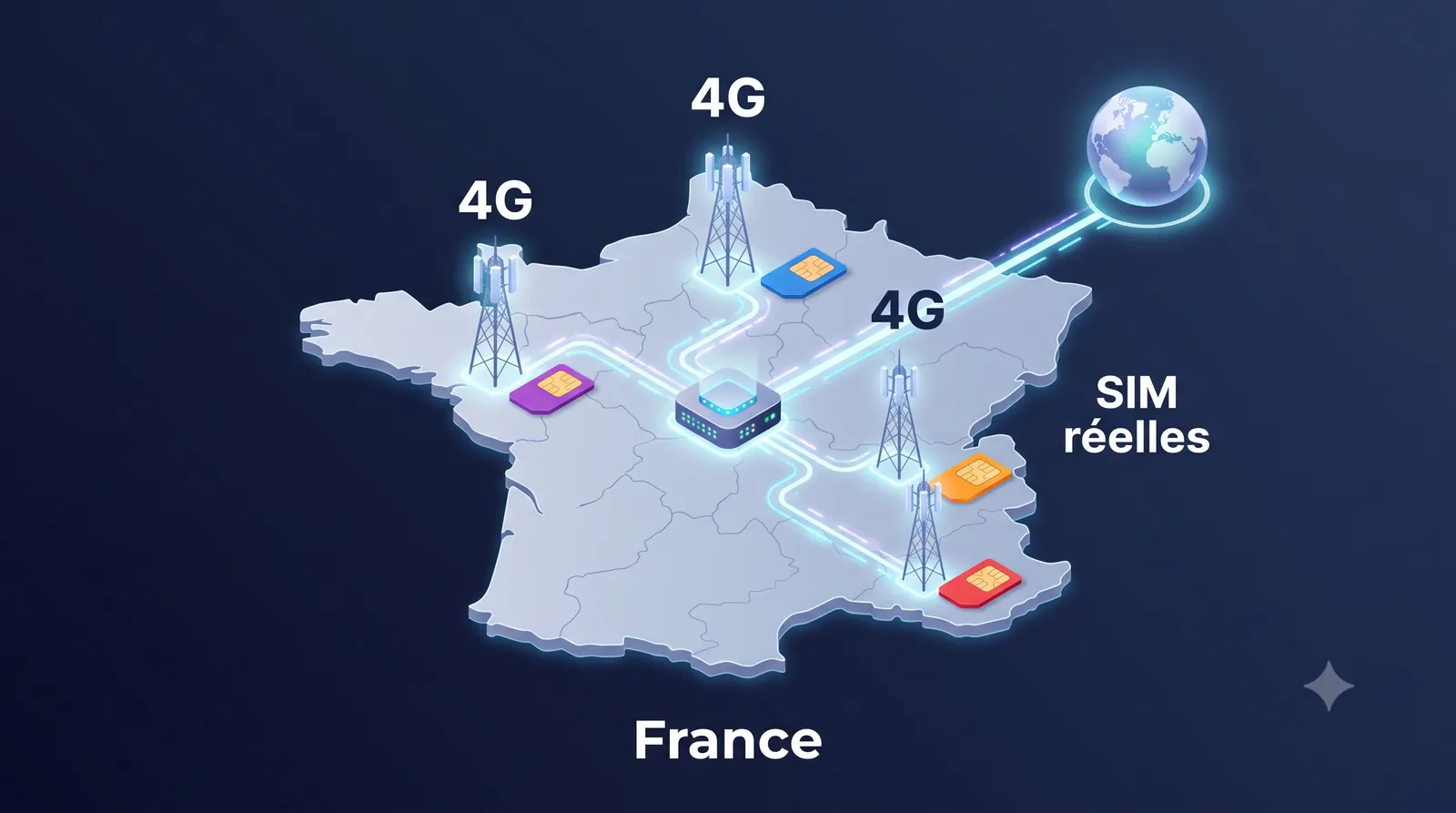
Here is the heart of the topic. Dual-stack exists on every type of proxy, but it is strongest on 4G mobile networks. And the behavior changes by carrier, which nobody documents, because nobody else owns the SIMs.
In France, it is the mobile networks that pushed IPv6 the furthest. We tested our own proxies on the four carriers. We queried IPv4-only targets, then IPv6-only targets, and triggered a rotation to see what happens. The result is clear: on all four, the exit is truly dual-stack. You get a public carrier IPv4 and a carrier IPv6, both authentic, both renewable on demand. What changes from one carrier to another is the family used by default.
Here is what we measure on our own fleet (the exact addresses stay reserved for our clients):
| Carrier | Mobile exit ASN | Carrier IPv6 exit | Public IPv4 exit | Default family | New /64 on reset |
|---|---|---|---|---|---|
| Orange | AS3215 | yes | yes | IPv6 | yes |
| Free Mobile | AS51207 | yes | yes | IPv4 | yes |
| Bouygues Telecom | AS5410 | yes | yes | IPv6 | yes |
| SFR | AS15557 | yes | yes | IPv6 | yes |
Two things to remember. First, the target always sees a real consumer IP, never an internal address. Second, each rotation changes the /64 (inside the carrier’s /48). Since anti-abuse systems count by /64, a reset puts you in a new bucket.
As far as we know, no other proxy provider publishes these measurements, because no one else owns the SIMs.

In IPv4, it is the sharing that protects you. On the IPv4 side, hundreds to thousands of real subscribers share the carrier’s same public IP (CGNAT). That is a strength: your traffic blends with real subscribers, and a site cannot ban that IP without blocking real carrier customers. That is what makes a mobile IPv4 very costly to ban. The trade-off: reputation is shared, and there is no inbound port. This is the normal behavior of a mobile connection, not a flaw.
In IPv6, it is rotation that protects you, not sharing. Beware of a common misconception: unlike IPv4, your IPv6 /64 prefix is not shared with other subscribers at the same time. The mobile standard assigns a dedicated /64 to each device. So a site can technically block a /64. What protects you is that this /64 changes at every reset: the block set on the old /64 no longer applies after reconnection. And if a site tried to block wider (a whole /48), it would hit real carrier customers, which puts it off.
The right word is never “impossible to ban.” A mobile IP is very costly to ban in IPv4, and the block does not last in IPv6. But no IP makes you invisible: anti-bot systems also look at the TLS fingerprint, the header order, and behavior. A good IP reputation helps, it does not replace clean behavior.
That is exactly how HexaProxy’s French 4G mobile proxies work: real SIM cards on the Orange, SFR, Free and Bouygues networks, with the IPv6 and IPv4 addresses genuinely assigned by those carriers.
In concrete terms with HexaProxy: real Orange, SFR, Free and Bouygues SIM cards hosted in France, dual-stack exit by default, HTTP(S) and SOCKS5, unlimited bandwidth, dashboard and API included. From 5 EUR/day, 49.90 EUR/month with no commitment. See the plans →
Check for yourself which family you exit from
An article that keeps saying traffic “exits over IPv6” without showing how to check it is not worth much. Here are the tests to run yourself, with real free tools.
The three tests
# 1. See the IPv6 exit (if the target and the route allow it)
curl -x <your_proxy> https://api64.ipify.org

# 2. Force the switch to IPv4 (IPv4-only target)
curl -x <your_proxy> https://api.ipify.org

# 3. Before believing "the proxy does not exit over IPv6": check that the TARGET has an IPv6 address
dig AAAA example-target.com +short
The third test avoids the most common misunderstanding: if the target has no IPv6 address (AAAA), no proxy in the world will reach it over IPv6. That is not a flaw of the proxy, it is the target that has no IPv6.
Example of an exit observed on our servers (addresses masked, the exact ranges stay reserved for our clients):
$ curl -x <proxy_orange> https://api6.ipify.org
2a01:cb**:****:****:…        # carrier IPv6 (Orange, AS3215)

$ curl -x <proxy_orange> https://api.ipify.org
92.184.**.**                 # public carrier IPv4 (Orange, AS3215)
Reading the result
- Answer in
2001:…or2a01:…: carrier IPv6 exit. - Answer in
100.64.xto100.127.x: carrier CGNAT IPv4. This is normal, not a flaw (RFC 6598). - Any other unknown public IPv4: report it to support.
Checking for leaks
Test test-ipv6.com in a browser set to the proxy. Also check the DNS resolver in use and WebRTC: a leak cancels the whole benefit of a clean exit.
Controlling rotation: sticky, timed, on demand
Sticky mode, timed rotation and on-demand reset are the three points every mobile proxy buyer compares. Here is what our service does, and what we checked ourselves by testing our proxies.
- Sticky session. By default, you keep the same exit IP as long as you do not trigger a rotation. This is ideal for running a full flow (login, cart, payment) on a stable identity. Our tests confirm it: as long as no reset is called, the exit IP does not move.
- On-demand rotation. An API call, a reset link or a click in the dashboard forces a new IP in a few seconds, the time it takes the SIM to reconnect. We checked it: a reset changes both the public IPv4 and the IPv6 /64 prefix.
- Timed rotation. You can also let the IP change on its own at a regular interval, with no action.
- Family choice. The exit mode is set in the dashboard: IPv4 only, IPv6 only, IPv4 first (IPv4V6) or IPv6 first (IPv6V4).
One important technical point: on mobile, the carrier assigns the IPs, not the proxy. A reconnection gives you a new public IPv4 and a new IPv6 prefix in the carrier’s block. So rotation is driven (you trigger it), but the addresses stay 100% authentic and carrier-issued.
On the integration side: HTTP, HTTPS and SOCKS5, authentication by username and password, full dashboard and API included.
Use cases for a dual-stack mobile proxy
Dual-stack mobile changes things depending on your use.
- Large-scale scraping: IPv6 handles the bulk of traffic on clean addresses, IPv4 takes over on sites that block. See our guide what is a 4G mobile proxy.
- Multi-account management: each account keeps a stable and consistent mobile network footprint, which avoids the connection failures and repeated checks.
- Ad verification: check how ads actually display from real French mobile IPs, on IPv6 and IPv4 targets alike.
- App testing: test your apps under real mobile network conditions, including IPv6. This is the ground that reveals IPv4 addresses hard-coded in the app, a frequent cause of bugs and App Store review rejections, invisible from a wired connection.
To choose between technologies, see also residential proxy vs 4G mobile proxy.
IPv4, IPv6 or dual-stack: the comparison
Short answer: dual-stack, almost always.
| Criterion | IPv4 only | IPv6 only | Mobile dual-stack |
|---|---|---|---|
| Target compatibility | High | Low (two thirds of the web unreachable) | High |
| State of the ranges | Recycled, often burned | Fresh | Fresh (IPv6) + carrier (IPv4) |
| Block granularity | Single IP | By /64 | By /64 but temporary |
| Rotation without changing exit point | Limited | Limited | Yes (carrier) |
| Behind a NAT? | Varies | No | Yes (CGNAT, traffic mixed with real subscribers) |
| Cost per extra identity | High | Low but misleading (same /64) | Real (SIM cost), but authentic identities |
An IPv4-only proxy is the most compatible, it works everywhere, but it inherits recycled addresses and costs more at scale. An IPv6-only proxy is clean and cheap, but it cuts you off from two thirds of the web. A dual-stack proxy combines both: the cleanliness and scale of IPv6 first, the compatibility of IPv4 as a fallback.
To be honest though: if your targets block nothing and you download large volumes, a datacenter pool is still more sensible, and we will tell you so. Mobile dual-stack is for when you run into blocks, not for raw bandwidth.
FAQ: IPv6 proxy and dual-stack
Is an IPv6 proxy faster than an IPv4 proxy?
Not necessarily in raw throughput. But IPv6 skips some address-translation (NAT) steps on the carrier side, which can cut response time on compatible targets. It also avoids the session limits of CGNAT: on a very heavy scrape, it is often the carrier’s NAT that saturates first, not the bandwidth.
Do all targets support IPv6?
No. In 2026, more than 50% of users reach Google over IPv6, but only a minority of sites (31 to 38%) are reachable over IPv6. That is exactly why dual-stack (IPv6 first, IPv4 fallback) is essential: it guarantees the connection goes through in every case.
Are there free IPv6 proxies?
You can find some, but they are unusable for serious work: already burned addresses, no IPv4 fallback, no availability guarantee, and often shared by thousands of anonymous users. For real work, a mobile IPv6 assigned by a carrier is the only credible option.
Does an IPv6 proxy work over SOCKS5?
Yes. Our proxies offer HTTP, HTTPS and SOCKS5. Remember to use socks5h:// so DNS resolution happens on the proxy side. Otherwise, the target’s IPv6 is never tried.
What IP does the target actually see?
A public carrier IPv4 (Orange, SFR, Free or Bouygues), or a carrier IPv6, depending on the chosen mode. Never a private address. We checked it on all four networks: the exit is a real consumer IP, shared with real subscribers.
How often does the IP change?
You decide: sticky by default, rotation on demand via API, reset link or dashboard (a few seconds), or automatic rotation at an interval. A reset changes both the public IPv4 and the IPv6 prefix (/64). With no action from you, the IP stays stable.
Can I force IPv4 or IPv6 for a specific target?
Yes. The exit mode is set in the dashboard: IPv4 only, IPv6 only, IPv4 first (IPv4V6) or IPv6 first (IPv6V4). By default, the proxy picks the best protocol target by target. But if you want to force IPv6 to get fresh ranges, or lock IPv4 for a difficult site, you do it in one click.
Does HexaProxy assign the IPv6 and IPv4 addresses?
No. The addresses are assigned by the mobile carrier (Orange, SFR, Free, Bouygues) through its 4G networks and CGNAT. HexaProxy routes your traffic through real mobile connections. The IPs stay 100% authentic and carrier-issued.
Why pay more than a datacenter proxy?
Because it is not the same thing. A datacenter proxy is perfect as long as your targets block nothing. As soon as they filter, you lose in failed requests what you saved on price. Mobile is judged on cost per successful request, not on the sticker price. And if your targets block nothing, a datacenter is still the right choice, we will tell you so.
Is scraping with a proxy legal?
Collecting publicly accessible data is generally allowed, but it all depends on the use. The GDPR applies as soon as there is personal data, and each platform has its own terms of use. Our terms of use forbid any illegal use.
The right protocol, on real mobile IPs
The “IPv4 or IPv6” debate is framed wrong. The real answer is both, in the right order: IPv6 first for cleanliness and scale, IPv4 as a fallback for compatibility. And the one place where this dual-stack is native, credible and controllable is the mobile network.
Go further:
- Understand why mobile IPs are so hard to block: what is a 4G mobile proxy
- Compare mobile and residential: residential proxy vs 4G mobile proxy
- See the offer, the protocols and the prices: our plans
HexaProxy provides French 4G proxies in dual-stack: real carrier IPv6 and IPv4, assigned by Orange, SFR, Free and Bouygues. No P2P network, no recycled ranges. Just real SIM cards on real mobile networks.
👉 Discover HexaProxy’s French 4G proxies →: real carrier IPs, dual-stack by default, from 5 EUR/day with no commitment. Already a client? Open the dashboard.
Article written by the team that runs the HexaProxy infrastructure: real SIM cards on the Orange, SFR, Free and Bouygues networks, hosted in France. The behaviors described here (dual-stack switching, rotation pace, network mechanism) are the ones we measure on this fleet.